
Download FBX Review – Free 3D Viewer, Secure, Fast
Overview
FBX Review is a free, lightweight tool designed for artists, developers, and anyone who needs to quickly preview 3D content without launching a full‑featured 3D package. Developed by Autodesk, the software focuses on the FBX file format, which is widely used for exchanging 3D assets across game engines, animation suites, and visual‑effects pipelines. In theory, FBX Review offers a fast, secure way to open and inspect meshes, textures, animations, and cameras on Windows, macOS, and even mobile platforms.
Its simple UI, single‑click navigation, and real‑time playback make it an attractive option for quick quality checks or client presentations. However, the tool’s limited support for other popular formats such as OBJ, GLTF, or Collada, combined with occasional freezes when handling large scenes, can turn a promising workflow into a frustrating experience. This review dives deep into the core strengths, practical limitations, and real‑world performance of FBX Review, helping you decide whether the free viewer fits into your 3D pipeline.
Key Features & Functionalities
- Native FBX support: Full read‑only access to Autodesk’s FBX 2019‑2024 specifications, preserving hierarchy, materials, and animation curves.
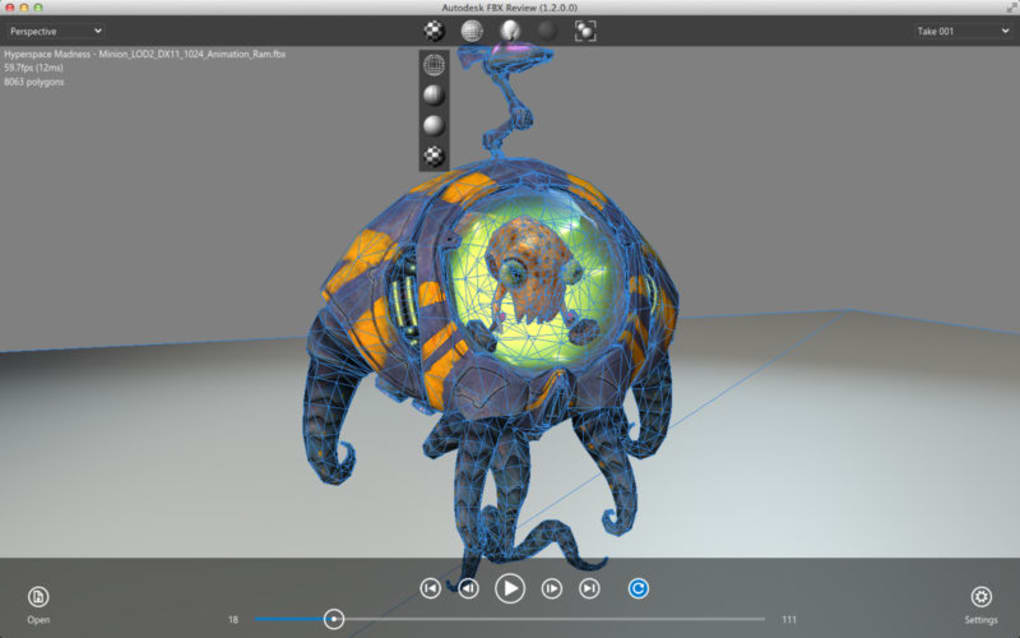
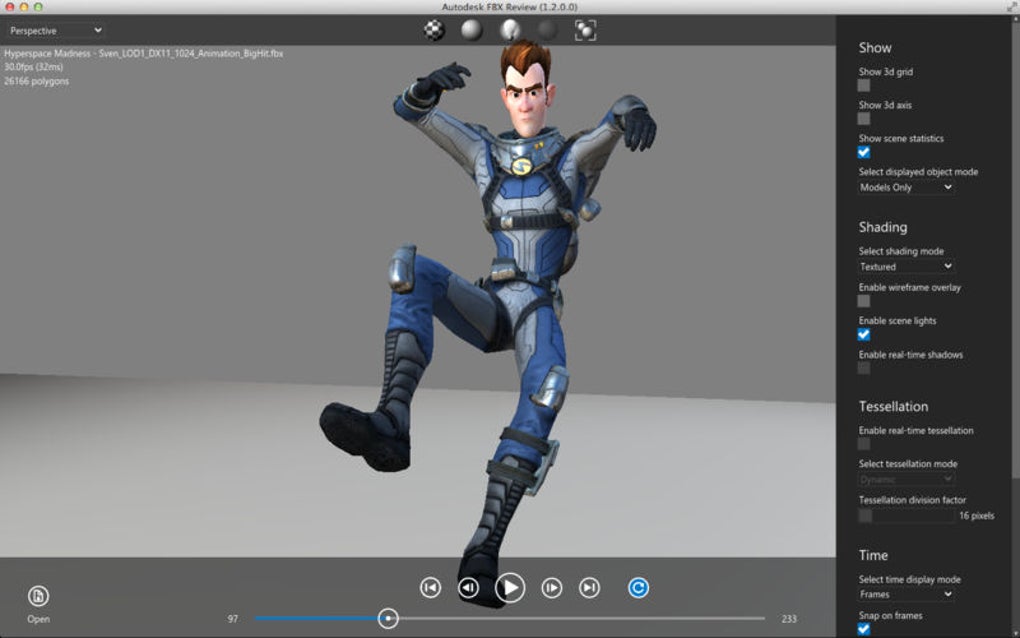
- Real‑time playback: Play, pause, and scrub animation timelines with frame‑accurate control, useful for checking rigs and keyframes.
- Multiple viewports: Switch between perspective, orthographic, and wireframe modes, or enable a split‑screen view for side‑by‑side comparison.
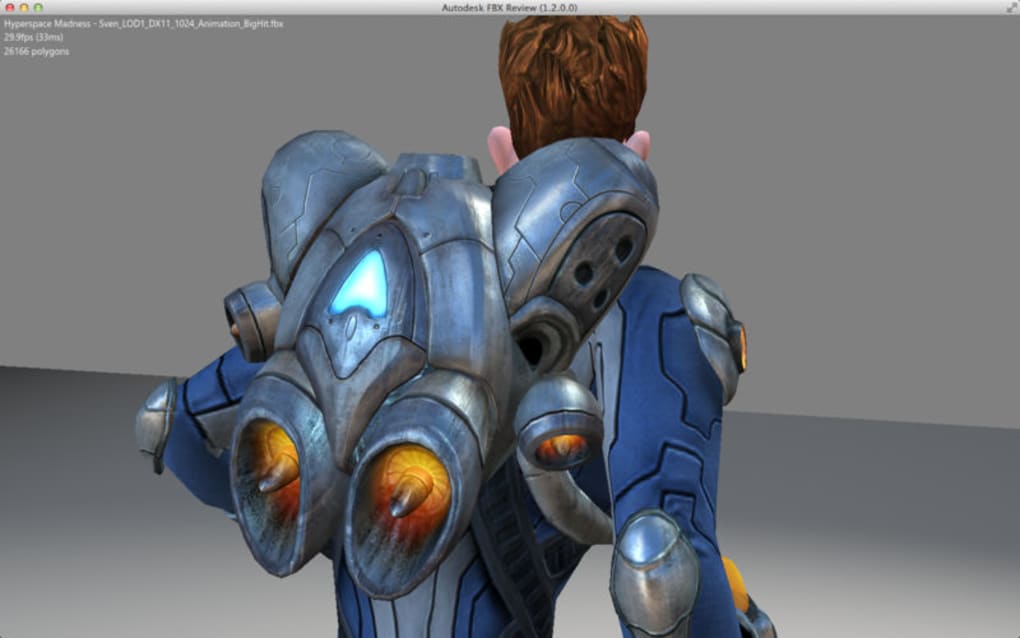
- Material preview: Basic PBR material rendering with texture maps (diffuse, normal, specular) displayed directly in the viewport.
- Snapshot & video export: Capture high‑resolution screenshots or export short MP4 clips of animation playback for quick client reviews.
- Cross‑platform compatibility: Available for Windows 10/11 (64‑bit), macOS 10.15+ (Catalina and later), and a limited Android version for mobile inspection.
- Lightweight installer: The download package is under 100 MB, and the installed footprint stays below 250 MB, keeping system resources free for other tasks.
- Secure updates: Automatic patching via Autodesk’s update server ensures the latest bug fixes and security patches without third‑party installers.
While FBX Review shines in its dedicated FBX handling and rapid preview capabilities, the lack of broader format support means users often need a secondary viewer for OBJ, GLTF, or STL files. Moreover, the material system is limited to basic shading, so highly complex shaders from game engines will not render exactly as they appear in Unity or Unreal. Despite these constraints, the feature set remains solid for studios that primarily exchange assets via FBX, especially when speed and low overhead are top priorities.
Installation & Usage Instructions
Step‑by‑Step Installation
- Visit the official Autodesk FBX Review download page and click the Download Free button for your operating system.
- Save the installer (
FBXReviewSetup.exefor Windows orFBXReview.dmgfor macOS) to a convenient folder. - Run the installer and follow the on‑screen prompts:
- Accept the End‑User License Agreement.
- Choose the installation directory (default is
C:\Program Files\FBX Reviewon Windows). - Optionally create a desktop shortcut for quick access.
- Click Finish. The application will launch automatically for first‑time configuration.
Basic Workflow for Viewing an FBX File
Once installed, opening a file is as simple as dragging the .fbx asset onto the FBX Review window or using File → Open. The viewer loads the scene hierarchy on the left pane, allowing you to isolate specific meshes, cameras, or lights. Use the mouse wheel or trackpad pinch gesture to zoom, and hold Alt + mouse drag to orbit the camera around the focal point. The timeline bar at the bottom displays animation frames; click the play button or press the space bar to start playback. For detailed inspection, switch to wireframe mode (shortcut W) or enable “Show Normals” to visualize surface direction.
Tips for Smooth Performance
- Limit scene complexity: Very large FBX files (over 500 MB) may cause occasional freezes. If possible, export a reduced “preview” version from your authoring tool.
- Update graphics drivers: FBX Review relies on DirectX 11 (Windows) or Metal (macOS). Keeping your GPU driver current reduces rendering glitches.
- Close background apps: Since the viewer runs in a single‑threaded mode for UI, heavy background processes can affect responsiveness.
- Use the “Export Snapshot” feature: Capture a high‑resolution image before closing, especially when presenting to non‑technical stakeholders.
Overall, the installation process is straightforward and the user interface is intuitive enough that new users can start reviewing assets within minutes. However, keep in mind that the free version does not include advanced debugging tools (e.g., mesh repair, UV analysis) found in paid 3D packages.
Compatibility, Pros & Cons
FBX Review runs on the following operating systems:
- Windows 10 (64‑bit) and Windows 11
- macOS 10.15 Catalina and later (Intel & Apple Silicon)
- Android 8.0+ (ARM64) – limited to mobile preview, no full‑screen UI
Pros
- Free of charge: No licensing fees, making it ideal for freelancers and small studios.
- Fast startup: Launches in under 5 seconds on modern hardware.
- Accurate FBX handling: Preserves hierarchy, animation curves, and material assignments from the original export.
- Cross‑platform support: Works on both Windows and macOS without separate download portals.
- Secure update mechanism: Directly from Autodesk’s servers, reducing risk of malware.
Cons
- Limited file format support: Only FBX files are fully supported; other common 3D formats require separate viewers.
- Occasional freezes: Large scenes with many animated bones can cause the UI to become unresponsive.
- Basic material rendering: Advanced PBR shaders and custom node networks are not displayed correctly.
- No editing capabilities: The tool is read‑only; you cannot modify geometry or animation within the viewer.
- Mobile version is restricted: Android build lacks full UI features and cannot export videos.
Overall Rating: 3.5 / 5 – FBX Review is a handy, free utility for quick FBX inspections, but its narrow format focus and occasional performance hiccups limit its usefulness as a universal 3D viewer.
Frequently Asked Questions
Can FBX Review open OBJ or GLTF files?
No. FBX Review is built specifically for the FBX format. For OBJ, GLTF, STL, or other formats you’ll need a different viewer such as MeshLab, Blender, or the free online viewer from Sketchfab.
Is there a way to export the scene to another format?
FBX Review is read‑only. It allows you to export screenshots and short video clips, but it cannot convert or save the loaded scene to another file type.
Why does the application freeze when loading large files?
The viewer processes the entire FBX hierarchy in a single thread. When a file contains many meshes, animation curves, or embedded textures, the CPU and GPU can become overloaded, leading to temporary freezes. Reducing the file size or exporting a “preview” version can mitigate this issue.
Is FBX Review safe to download from third‑party sites?
Always download from Autodesk’s official website or trusted software repositories. Third‑party sites may bundle adware or outdated installers that could compromise security.
Does FBX Review support animation playback on mobile devices?
The Android version can load and play basic FBX animations, but it lacks the full UI controls available on desktop. Features like snapshot export and timeline scrubbing are limited on mobile.
Conclusion & Call to Action
FBX Review fills a niche need for a free, fast, and secure way to preview Autodesk FBX assets without the overhead of a full‑blown 3D application. Its straightforward installation, real‑time animation playback, and cross‑platform availability make it an attractive option for freelancers, game developers, and VFX artists who regularly exchange FBX files. However, the tool’s narrow format support, occasional performance hiccups on large scenes, and lack of editing features mean it should be used as a complementary utility rather than a primary viewer for diverse 3D pipelines.
If your workflow revolves around FBX and you need a quick, no‑cost way to validate geometry, textures, and animations before committing to a render or export, download FBX Review today. For broader format requirements or advanced debugging, keep a secondary viewer like Blender or Maya in your toolkit.
Click here to download the latest version of FBX Review for free and start inspecting your 3D assets in seconds.







